
When I first started creating UGC, I didn’t have a professional camera, a studio or a huge collection of equipment.
I started with my phone and tripod and gradually added tools that made filming easier, improved the quality of my content and helped me work more efficiently.
And that’s still how I look at UGC equipment today.
You really don’t need to buy everything before you start.
If you already have a good smartphone, a few simple pieces of equipment are more than enough to create your first portfolio, practice filming and even start working with brands.
On this page, I’m sharing the tools I use or recommend for beginner UGC creators in the UAE, why they’re useful, and what I would prioritise if I were starting again today.
Disclosure: This page contains affiliate links. As an Amazon Associate I earn from qualifying purchases. If you purchase through one of these links, I may earn a small commission at no additional cost to you.
What Do You Actually Need to Start Creating UGC?
Before getting into individual products, I want to make one thing clear:
You do not need a professional camera to start UGC.
Most short-form UGC is designed for platforms such as Instagram Reels, TikTok and paid social ads, where content filmed on a smartphone often feels more natural and native to the platform.
If you already have a capable phone, I would spend your first budget on making your filming setup easier rather than immediately upgrading your camera.
For me, the three most useful things to start with are:
good natural lighting, a stable phone setup and clear audio when needed.
Everything else can come later.
1. Lighting
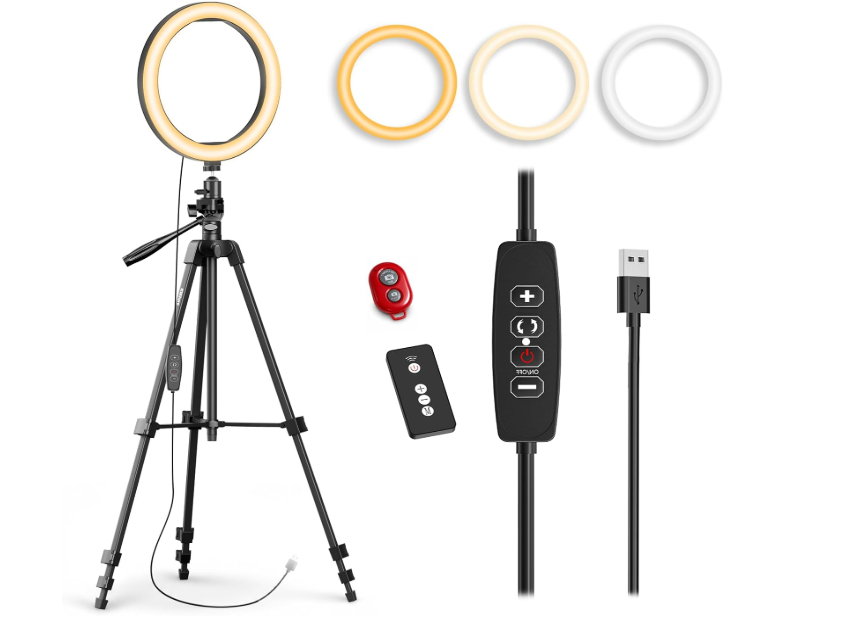
Ring Light with Tripod
Best for: Indoor filming, beauty content, talking videos and days when natural light isn’t enough.
Good lighting makes one of the biggest differences to how your content looks.
Even when you’re filming on a phone, better lighting can make the image look cleaner, brighter and much more professional.
I love natural daylight whenever I can use it, especially for beauty, skincare, food and lifestyle content. But natural light isn’t always consistent.
Sometimes I need to film later in the day, the weather changes, or I simply need the same lighting across several clips.
That’s when having a simple ring light becomes really useful.
When I use it
I use additional lighting for things like skincare application, makeup or beauty shots, talking-to-camera videos, product demonstrations and filming indoors when the natural light isn’t strong enough.
Is it essential for beginners?
I think lighting is one of the first things worth investing in.
You definitely don’t need an expensive studio light when you’re starting. A simple adjustable ring light can already make a noticeable difference.
My beginner tip: Before buying several different lights, learn how to use one properly. Play with the angle, distance and brightness instead of simply placing it directly in front of you every time.
→ View the ring light I recommend on Amazon.ae
2. A Good Tripod or Phone Stand
Best for: Filming alone, talking videos, product demonstrations and keeping your shots consistent.
If you create UGC on your own, a tripod quickly becomes one of the most useful things you own.
Most of the time, there isn’t someone standing behind the camera filming for you.
You’re the creator, the person on camera, the stylist and the camera operator at the same time.
A stable phone stand means you can position the phone exactly where you need it and film hands-free.
When I use it
I use a tripod or phone stand for talking videos, unboxings, skincare routines, demonstrations, product shots and any scene where I need the framing to stay consistent.
It’s also really useful when you need to film the same scene several times.
What I would look for
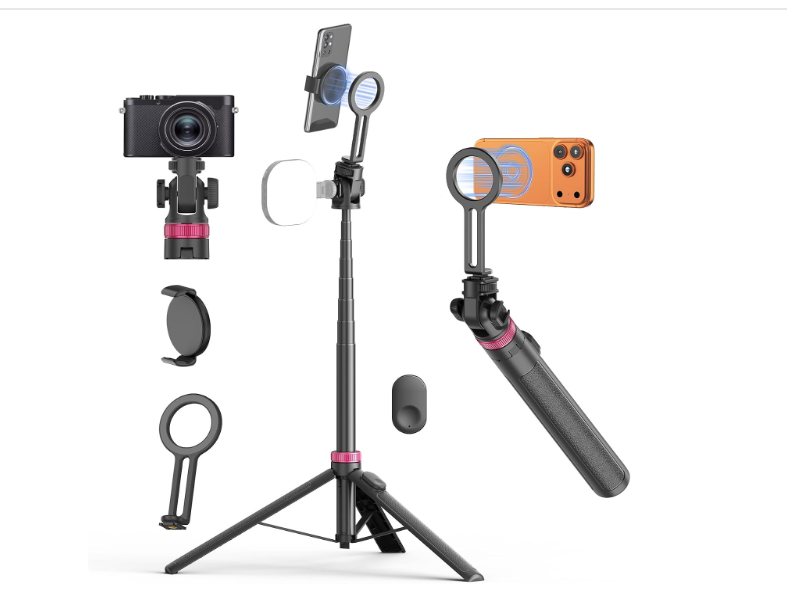
I prefer a stand that allows you to move the phone easily, adjust the height and switch between vertical and horizontal filming.
For UGC, vertical filming is going to be what you use most often.
Is it essential for beginners?
For me, yes.
If you already have a good smartphone, this would be one of my first purchases.
It isn’t exciting equipment, but it makes the actual filming process so much easier.
→ View the phone stand/tripod I recommend on Amazon.ae
3. Microphone
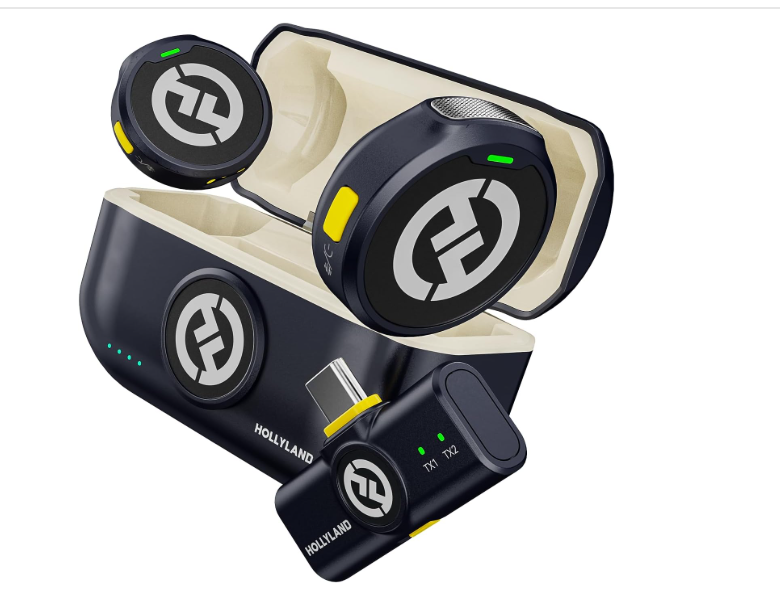
Best for: Talking-to-camera UGC, testimonials, tutorials and content where your voice is important.
Video quality matters, but people often underestimate how important audio is.
A beautiful video with distracting or unclear sound can immediately feel less professional.
That doesn’t mean you need a microphone for every UGC video.
I still use my phone audio when I’m indoors in a quiet environment and the sound is already clean.
But for certain types of content, having a microphone makes a big difference.
When I use it
A microphone is most helpful for direct-to-camera content, tutorials, testimonials, educational UGC and filming in places where there is more background noise.
If I know the voice is an important part of the video, I pay much more attention to audio quality.
Do you need one immediately?
Not necessarily.
If you mainly create aesthetic product videos and add a voiceover later, I wouldn’t make this your very first purchase.
But if talking-to-camera content is going to be a big part of your portfolio, it’s worth having.
→ View the microphone I recommend on Amazon.ae
My UGC Editing Tools
Equipment is only one part of my workflow.
Once everything is filmed, I still need to turn those clips into a finished piece of content that feels natural, keeps attention and meets the brand brief.
I do most of my short-form work directly from my phone.
CapCut
CapCut is one of the main apps I use for UGC and social media video editing.
I use it for trimming clips, timing, captions, audio, transitions and preparing vertical content for Instagram Reels, TikTok and brand campaigns.
You don’t need complicated professional editing software to start creating strong short-form content.
Learning how to edit well in one app is much more useful than downloading ten different ones.
→ Read how I use CapCut as a UGC & Content Creator
Canva
I also use Canva regularly for covers, graphics, portfolio materials and other visual elements.
For somebody building a UGC business, it’s particularly useful because you can use the same tool for your portfolio, media kit, social graphics and presentation materials.
What I Would Buy First With AED 500
If I were starting again with a limited budget and already had a good phone, I would keep things very simple.
My priority would be:
a reliable tripod or phone stand → one good light → a microphone only if I was creating a lot of speaking content.
I would use my existing smartphone and free or existing editing tools before spending money on anything more advanced.
UGC is one of those areas where expensive equipment does not automatically mean better content.
You need to understand framing, light, hooks, storytelling and what the brand actually wants from the video.
And What If You Have a Bigger Budget?
Even with a larger starting budget, I wouldn’t immediately buy a professional camera.
I would improve the overall setup first.
Better lighting, stable filming, good audio and a setup that allows you to work efficiently will probably give you much more value at the beginning.
Then, once you start getting regular paid work, you’ll know exactly what is limiting you.
That’s when upgrading makes sense.
What I Would NOT Buy When Starting UGC
It’s very easy to look at other creators and think you need every piece of equipment they own.
You really don’t.
I wouldn’t rush into buying an expensive professional camera, multiple lights, complicated studio equipment, lots of backgrounds or every viral “creator gadget” you see online.
Start simple.
One of the best things about UGC is that the content is supposed to feel authentic.
Brands aren’t necessarily looking for something that looks like a television commercial.
They want content that feels natural on the platform while still being well filmed and thoughtfully created.
Your equipment should support your creativity — not become the reason you keep postponing starting.
My Simplest Beginner UGC Setup
If you asked me what you need to start tomorrow, my answer would be very simple:
Smartphone + good lighting + phone tripod + editing app.
That is already enough to create portfolio videos, practice different UGC styles and start learning what works.
Add a microphone when you actually need one.
Add other accessories as you discover problems you want to solve.
You don’t need to build the perfect setup first.
The Equipment Isn’t the Most Important Part
Something I wish more beginners understood is that buying better equipment won’t automatically make your content perform better.
A great UGC video still needs a strong idea.
It needs a hook that makes someone stop scrolling.
It needs clear messaging.
It needs good pacing.
And most importantly, it needs to feel believable.
The technical quality matters, but it’s only one part of the process.
As my UGC work developed, I gradually added tools such as portable lighting, product photography backgrounds, a gimbal and other practical filming accessories. I’ll keep updating this page with the equipment I genuinely use and find useful.
Ready to Start Creating UGC in the UAE?
If you’re at the beginning and want to understand the full process – including how UGC works, legal requirements, pricing, building a portfolio and finding clients – I created a complete guide based on my own experience building a UGC business in Dubai.
→ How to Become a UGC Creator in the UAE: Complete Guide
And if you’re a brand or marketing manager looking for someone to create the content rather than learning how to create it yourself:
→ View my UGC Creator Dubai services, portfolio and rates
Frequently Asked Questions
What equipment do I need to start UGC?
You can start with a smartphone, good lighting and a stable phone stand. A microphone is helpful for talking videos but isn’t essential for every type of UGC.
Do I need a professional camera for UGC?
No. Many UGC videos are intentionally filmed on smartphones because they feel more natural on platforms such as Instagram and TikTok.
Good lighting, framing and content quality matter much more when you’re starting.
Is an iPhone enough for professional UGC?
Yes. I create UGC using my phone, and a modern smartphone is more than capable of producing high-quality content for social media and brand campaigns.
What should a beginner UGC creator buy first?
If you already have a good smartphone, I would prioritise a tripod or phone stand and lighting.
A microphone can come next if you plan to create a lot of direct-to-camera content.
Do I need a ring light for UGC?
Not always.
Natural daylight can look beautiful and I use it whenever possible. A ring light or other LED light simply gives you more control when natural light isn’t available or consistent.
What editing app do I use for UGC?
I use CapCut extensively for short-form video editing. I also use Canva for covers, graphics and other supporting visual content.
Final Thoughts
If you’re thinking about starting UGC, don’t wait until you have the perfect setup.
Use the phone you already own.
Learn how to find good light.
Practise your framing.
Film products you already have at home.
Edit.
Watch it back.
Then film it again.
Your setup will naturally improve as your skills improve and as you start earning from your work.
Buy equipment because it solves a real problem in your filming process — not because somebody online told you that every content creator needs it.
That is exactly how I would approach building a UGC setup from scratch today.
Leave a Reply